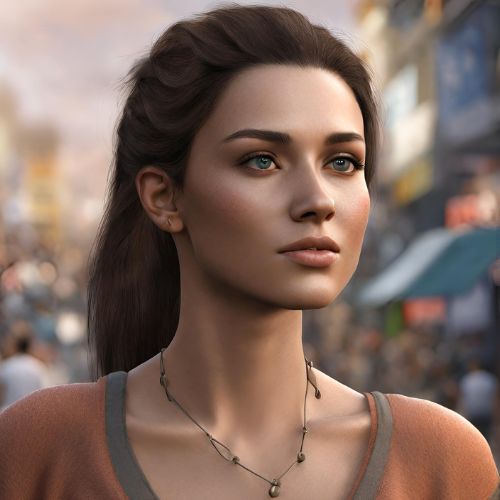

Create anything with professional AI tools to generate high-quality visuals from simple text prompts or images with remarkable efficiency.
Video creators are using AI technologies to produce content.
Popular content includes hands-on guides with practical techniques to master generative AI video creation: from prompt engineering to selecting and fine-tuning the right tool, and finally, adding post-production polish to your videos so they grab attention on any social network.
Mastering Prompt Engineering Fundamentals
Video prompts determine the outputs of AI video models by controlling motion, lighting, and scene.
Use short, specific prompts specifying object, action, environment, camera movement, and style, such as “a calm forest pathway at sunset with a slow tracking shot and soft focus on dew drops on the leaves”, avoiding vague descriptors.
Add detail progressively, and test prompts at multiple intervals to improve plausibility and realism.
Prompts shorter than 50 words yield higher quality images, fewer artifacts, and greater temporal coherence between frames.
Building Descriptive Layers
Each prompt should focus on a subject and action, and provide environmental and stylistic details, for example, “elderly woman strolling through autumn park, leaves crunching underfoot, warm sunlight filtering through branches, steady forward dolly shot”, rather than simple “walking in park”.
By keeping the AI’s uncertainty low and generating images with natural physics and emotional impact, you can make use of textures, weather, and other sensory descriptors to immediately immerse viewers in your world.
Iteration for Precision
Experiment with different phrasing: you may find that certain words improve motion fluidity or lighting.
You can also specify the camera angle and speed for more controlled results.
Over time, this creates a body of well-tested phrases for common situations that can speed up future projects and improve productivity.
Optimizing Inputs for Superior Outputs
Static image or reference video inputs guide the AI generation, reducing inconsistencies between faces and scenes.
By adding illustrated keyframes, the scenes are created with simulated natural physics.
The method images the core scenes of a complex project, then refines iteratively, producing longer coherent video clips up to several minutes in length.
Keyframe Selection Tips
Input images with good composition and lighting are recommended, since blurred or dark images have resulted in fuzzy extrapolations.
Multiple angles of the same subject can yield better modeling consistency across frames.
This process dramatically reduces the generation error, saving as much as several hours of reworking and polishing.
Enhancing Visual Fidelity Through Iteration
Refinement loops ensure every AI-generated video meets quality expectations.
Base clips are generated, and any issues (unnatural movements, lighting) are identified.
Refine prompts (e.g., “add shadow depth and horizon stabilization”) over three to five cycles to improve images and align them with the original prompts.
Use frame interpolation to give the highest smoothness, and upscale to 4K, which will make your videos look as sharp, deep, and emotional as a normal video.
Spotting Common Flaws
Look for jitter or color shifts.
Use motion stabilization markers to reconstruct the frames to avoid distraction.
Shooting with depth-of-field allows you to guide the viewer’s eye and maintain artistic balance, automating many aspects of film crew-style production quality.
Tailoring Content for Platform Dominance
For vertical 9:16 aspect ratios under 60 seconds (short-form feeds), adhere to platform guidelines.
Use quick cut sequences or trending audio for maximum engagement.
For horizontal 16:9 content tailored for educational and promotional purposes, creating a narrative and using subtle transitions is recommended.
Quick, catchy elements for mobile-first viewers help with algorithms, converting casual scrollers into followers.
Vertical vs. Horizontal Strategies
For vertical video, close-ups look best, and you can overlay big text.
For horizontal, include wide establishing shots.
Keep to 15 seconds for instant engagement or 90 seconds for more detailed storytelling.
Be attuned to the audience behavior on each platform and their platform-specific subtleties.
Leveraging AI for Audio-Visual Sync
To improve future usability, voice-overs should be recorded as early as possible: calm for explanations, excited for demos, etc. Scripts should be written to allow pauses and emotional animation for mouth-syncing and international dubbing with no additional work.
Parallel to this work, additional soundtracks should be generated so that they can be layered on top of a work in progress rather than all at once.
Voice and Music Integration
The voice style and associated video include authoritative for tutorial videos, and whimsical for promotional videos, increasing user familiarity and creating emotional connections.
The speech is auto-stretched and compressed, with manual control to adjust emotional highs in speech provided as well.
Advanced Motion and Camera Control
In a reveal, a dolly zoom into the subject’s eyes or a pan to a city skyline at dusk can be specified.
In motion, brush controls a path that can be defined for specific objects, which is key to achieving realistic action sequences.
This directorial precision transforms amateur efforts into studio-quality artistry that is impressive to professionals.
Cinematic Technique Emulation
Add pans, tilts, and zooms to your script, and test to see where slow-motion cues fit in to improve drama.
With some practice, your finished product should feel filmic and keep your audience’s attention.
Post-Generation Editing Mastery
Hybrid editors include audio cut tools to trim silences, color grading tools to ensure footage shares a look, B-roll insertion, text-based editing tools that use transcripts, and AI stabilization tools.
Automated accuracy and human adjustment combine for a broadcast-ready product, packaged for immediate distribution.
Color and Transition Polish
The colors are graded with warmth for the lighthearted segments and cool tones for tense scenes so that the hues flow into one another smoothly from one scene to the next.
Building Consistent Character Arcs
In multi-scene videos, use the first few frames as references for the face and expression.
Phrases like “same actor from previous clip, aged slightly” provide the continuity needed to tell epic stories with no reshoots and no continuity errors, or to communicate extremely complex game narratives.
Pixel Dojo features an accessible learning curve.
Multi-Scene Continuity
In each series, a master reference image is seeded, and all others are generated only for each separate action, to preserve the essential core image.

This enables complex story arcs and consistent character development.
Scaling Production for High Volume
Batch similar prompts together to create variants to test against in marketing campaigns, or to create course modules.
Use integrated workflows to create dozens of clips in a day, all within the same style.
Go from weeks to hours, and create entire social series or training libraries.
Creative Stylization Techniques
In addition to photorealistic images that can be produced by generic art descriptions, such as “in the style of film noir with high contrast shadows”, painterly effects can be applied.
Domain-specific prompts are also possible, such as fashion moods or clean lines for e-commerce.
Style Blending Methods
Combine influences and time periods, such as “cyberpunk meets Victorian” and keep iterating until you get the balance right.
This engages more people in their feeds and gets better metrics.
Quality Assurance and Upscaling
These frames are then upscaled and denoised for a clean 4K final render, and AI tools are used to smooth color inconsistencies and interpolate frames for slow motion.
Professional-grade releases are created along the entire release pipeline through multiple channels.
Future-Proofing Your Workflow
Generative text-to-video models, image-to-video hybrids, and models capable of physics simulation or longer generation times are expected to improve as the approaches are combined, and methods of iterative learning are applied to the results.
That said, these are strategies that allow creators to make AI videos that are engaging on platforms like YouTube, giving them some level of cinematic polish while making effective use of the tools without having a budget.